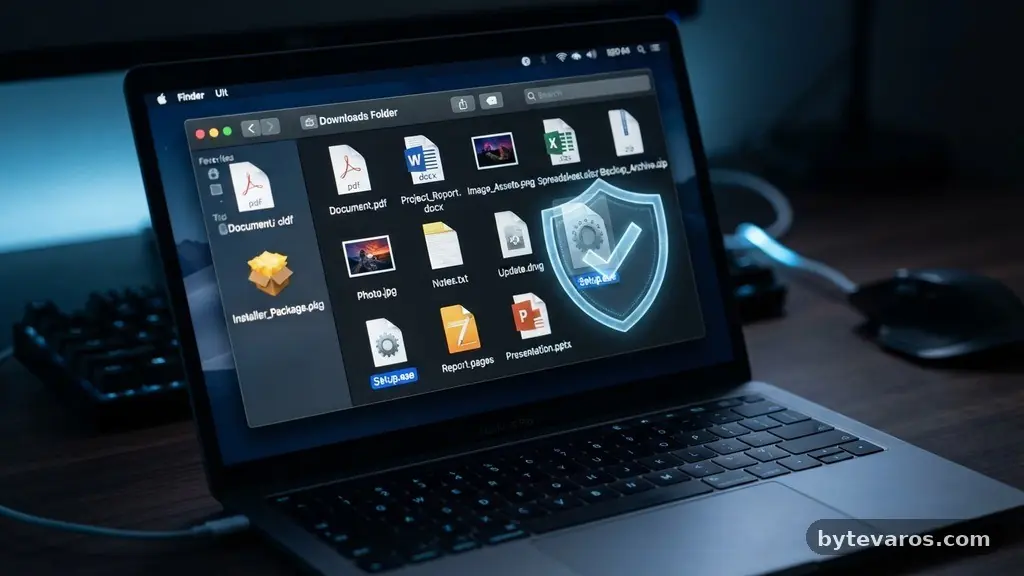
Understanding why file extensions matter when downloading documents from the internet is a fundamental skill for maintaining your digital security. These short suffixes at the end of filenames serve as the primary indicator for your computer’s operating system regarding how to handle and open a specific piece of data. Without proper awareness of these markers, you could inadvertently trigger a malicious process instead of simply reading a text document.
By learning to distinguish between benign formats and potentially harmful ones, you gain a significant layer of defense against common cyber threats. This knowledge is essential for anyone who regularly interacts with email attachments, web downloads, or shared files.
The Role of File Extensions in Digital Safety
At its core, a file extension is the suffix that follows the final period in a filename, such as .pdf or .docx. Your operating system relies on these indicators to associate a file with a specific application, like a word processor or a web browser. When you double-click a file, the system checks this extension to determine which program should launch to render the content.
This automation is convenient, but it is also a primary vector for cybersecurity threats. If a file is mislabeled or deliberately disguised, the system might launch a dangerous script instead of an image or a document.
The danger arises because many users have their system settings configured to “hide extensions for known file types” by default. This setting masks the true nature of a file, allowing a malicious actor to name a file something like “invoice.pdf.exe” while only displaying “invoice.pdf” to the user. When you click that file, you are not opening a document; you are executing a program.
Recognizing these hidden indicators is the first step in avoiding accidental malware distribution. Always ensure your system is configured to show all file extensions so you can verify the true format of every download.
Common Document Formats and Their Safety Profiles
Not all file formats are created equal, and some are inherently safer than others. Text-based files or structured data formats are generally designed to be interpreted by an application rather than executed as a set of commands. For instance, a standard PDF is a container for text and images, meant for display.
While vulnerabilities can exist in reader software, the file itself is passive. When you download a document, you should look for specific, expected extensions that match the content you anticipate receiving.
Safe vs. Risky File Types
* .pdf: Generally safe for viewing, though you should keep your reader software updated.
* .docx / .xlsx: Standard office documents, but they can contain macros that run scripts.
* .txt: Plain text files, which are arguably the safest format because they contain no executable code.
* .exe / .js / .scr: These are executable files and should never be opened unless you explicitly trust the source.
* .zip: These are containers; they are not inherently dangerous, but their contents might be.
Understanding these distinctions helps you maintain better file integrity. If you are expecting a report and receive a file ending in .js, you are likely looking at a malicious attempt to infect your system. Always cross-reference the expected file type with the actual extension displayed on your screen.
How Operating Systems Handle File Associations
When you download a file, your operating system looks up its internal registry to find a match for the extension. This process, known as operating system associations, determines the user experience. If you have Microsoft Word installed, the system associates .docx files with that application.
This mapping is useful, but it can be manipulated by attackers who want to force a file to open in an unexpected way. For example, a malicious actor might try to associate a dangerous file type with a common utility to make it seem legitimate.
Modern operating systems have become more proactive, often prompting you with a warning when you attempt to run an executable file downloaded from the web. These warnings are not just annoyances; they are critical barriers against malware distribution. When your system asks if you are sure you want to run a file, it is because it detected a potential risk.
Ignoring these prompts is one of the most common ways users compromise their own security. Pay attention to these warnings, as they are specifically designed to highlight files that have the potential to change your system environment.
The Mechanics of Malware Distribution via Files
Attackers often use social engineering to trick users into ignoring file extensions. They might send a file named “AnnualReport.pdf.scr,” hoping the user only sees the .pdf part. By hiding the true executable extension, they bypass the user’s natural skepticism.
Once clicked, the .scr (screensaver) file acts as a delivery mechanism for a payload, which could be anything from spyware to ransomware. This is why understanding why file extensions matter when downloading documents from the internet is so vital for personal data protection.
These threats often rely on the user’s lack of familiarity with file types that are not common office documents. If you are not a developer or a power user, you might not encounter .js or .vbs files often. Attackers exploit this by disguising these scripts as documents.
They might even use icons that look exactly like the ones for Adobe Reader or Microsoft Word. Always check the properties of a file if you are suspicious, or use an online scanner to verify the file’s integrity before opening it.
Comparing File Types for Security Risk
To better understand the risks, it helps to look at how different file types interact with your system. Some files are essentially “static,” while others are “active.”
Static files contain information meant to be read, whereas active files contain instructions meant to be run. The following table provides a breakdown of common file types and their risk profiles.
| File Extension | Common Use | Risk Level |
|---|---|---|
| .txt | Plain text notes | Low |
| Document viewing | Low to Medium | |
| .docx | Word processing | Medium (due to macros) |
| .zip | Compressed archives | Medium (depends on content) |
| .exe | Program execution | High |
| .js | Scripting | High |
As shown in the table, the risk level scales with the file’s ability to execute commands. When you download a document, you should ideally be looking at the Low or Medium categories.
If you see a file in the High category, you should treat it with extreme caution. Always verify the source of the file before proceeding with any action that involves running its contents.
The Importance of MIME Types and Metadata
Beyond the simple extension, web servers use MIME types to tell your browser what kind of data is being transferred. A MIME type, such as “application/pdf,” provides a standardized way to identify the file format independently of the filename.
When you download a file, your browser uses this information to determine how to present the file to you. If there is a mismatch between the MIME type and the file extension, your browser might flag it as a potential security risk.
This is a critical layer of defense that many users overlook. If a server claims a file is a document but your browser detects it as an executable, it will often prevent the download or warn you. This is a form of passive protection that works in the background.
Understanding these technical details helps you appreciate why browsers often block certain downloads. They are not trying to be difficult; they are attempting to protect you from content that does not align with its reported format.
Advanced Protection: Sandboxing and Integrity
For users who frequently download files from unknown sources, sandboxing is a highly effective security measure. A sandbox is a restricted environment where you can open a file without it having access to your actual system files.
If the file turns out to be a malicious executable, the damage is contained within the sandbox and can be wiped clean. Many modern operating systems and security suites include built-in sandboxing features that you can use to test suspicious downloads.
Another important concept is file integrity. This refers to the idea that a file has not been altered or tampered with since it was created. You can often verify this by checking the checksum or hash of a file.
If you download an important document, the provider might offer a hash value. Comparing the hash of your download to the provided value confirms that the file is exactly what it claims to be. You can find more information on these security practices through the National Institute of Standards and Technology, which provides comprehensive resources on cybersecurity.
Why Vigilance Remains the Best Defense
No matter how advanced your security software becomes, your habits remain the most important factor in your digital safety. Vigilance is not about living in fear; it is about being intentional with your actions. Whenever you download a document, take the extra second to look at the extension.
If you are not sure what a file type does, look it up before you open it. This small pause can save you from significant headaches and data loss.
Maintaining this level of awareness turns you from a passive user into an active guardian of your own data. It is a simple habit that has a massive impact on your overall security posture.
Share this knowledge with friends and family, especially those who might not be as tech-savvy. Helping others understand why file extensions matter when downloading documents from the internet makes the entire digital ecosystem a safer place for everyone.
Frequently Asked Questions
What should I do if I accidentally open a suspicious file?
If you suspect you have opened a malicious file, disconnect your computer from the internet immediately to prevent further communication with the attacker’s server. Run a full scan with a reputable security suite to identify and quarantine any threats. If you notice strange behavior, you may need to restore your system to a previous backup.
Are ZIP archives safe to download?
ZIP archives are not inherently dangerous, but they are frequently used to hide malicious files. Because they can contain multiple files, they allow attackers to bypass simple security filters. Always scan the contents of a ZIP file using your antivirus software before you extract or open anything inside it.
Why does my computer show the same file extension twice?
This usually happens because your system is showing you the full filename, and the file has been named in a way that includes the extension as part of the label. For example, “my_document.pdf.exe” will show both extensions. This is a common tactic used to trick users, so always be wary of files with double extensions.
Does changing a file extension make it safe?
No, changing the extension does not change the content or the nature of the file. Renaming an “.exe” file to “.pdf” does not turn it into a document; it just hides its true nature. The computer will still treat the file as a program if you try to execute it, so this practice is essentially a form of deception.
How can I see all file extensions on my computer?
On Windows, you can open the File Explorer, go to the View tab, and check the box labeled “File name extensions.” This will force the system to display the full suffix for every file. On macOS, you can go to Finder preferences and select “Show all filename extensions” in the Advanced tab.
Conclusion
Taking the time to check the file extension before you click is one of the most effective ways to stay safe online. By understanding the difference between a simple document and a potential threat, you protect your personal information and your system’s stability. As you continue to interact with the web, remember that these small, three- or four-letter tags act as the first line of defense for your digital life.
Why file extensions matter when downloading documents from the internet is a lesson that serves you every single day. Stay cautious, keep your software updated, and always verify what you are opening. Your proactive approach to security is the best tool you have in an increasingly connected world.